TerraMaster F4-425 Plus Review: Fast Specs on a Budget
I tested the TerraMaster F4-425 Plus to see if its dual 5GbE ports, DDR5 RAM, and Intel N150 chip make it a better buy than pricier 4-bay alternatives.

Written by
Zino
The TerraMaster F4-425 Plus packs better raw hardware than most home servers costing twice as much, and it does so without breaking the bank. You get an Intel N150 processor, 16 GB of DDR5 memory right out of the box, three M.2 NVMe slots, and two 5GbE network ports. TerraMaster sent me this unit to evaluate, but they did not pay me or script my opinion. Everything here is based on my own testing.
"When I first saw the spec sheet, I thought it was a typo. This has hardware that usually costs double." That was my reaction when I opened the box, and after weeks of real-world testing, the hardware mostly holds up to that initial shock.

Solid metal build with one annoying design flaw
Most four-bay storage units under five hundred dollars feel like plastic toys. You pick them up and the chassis creaks, or it feels like an empty plastic enclosure wrapped around a miniature exhaust fan. The F4-425 Plus surprised me immediately because the entire outer chassis is thick brushed aluminum. It feels sturdy, stays cool to the touch, and looks clean on a desk.
On the front, you get four vertical drive bays, system activity LEDs, a power switch, and a front USB port for quick external backups. The drive caddies pull out easily with an exterior latch mechanism. However, TerraMaster made one frustrating design choice here.
"No lock on them though, so once they're in, nothing stops someone from just pulling them out and taking your data." If this unit sits in an open office or anywhere kids might pass by, there is nothing physical stopping someone from yanking a live drive straight out of the array. It is a strange omission on an enclosure that otherwise feels very premium.
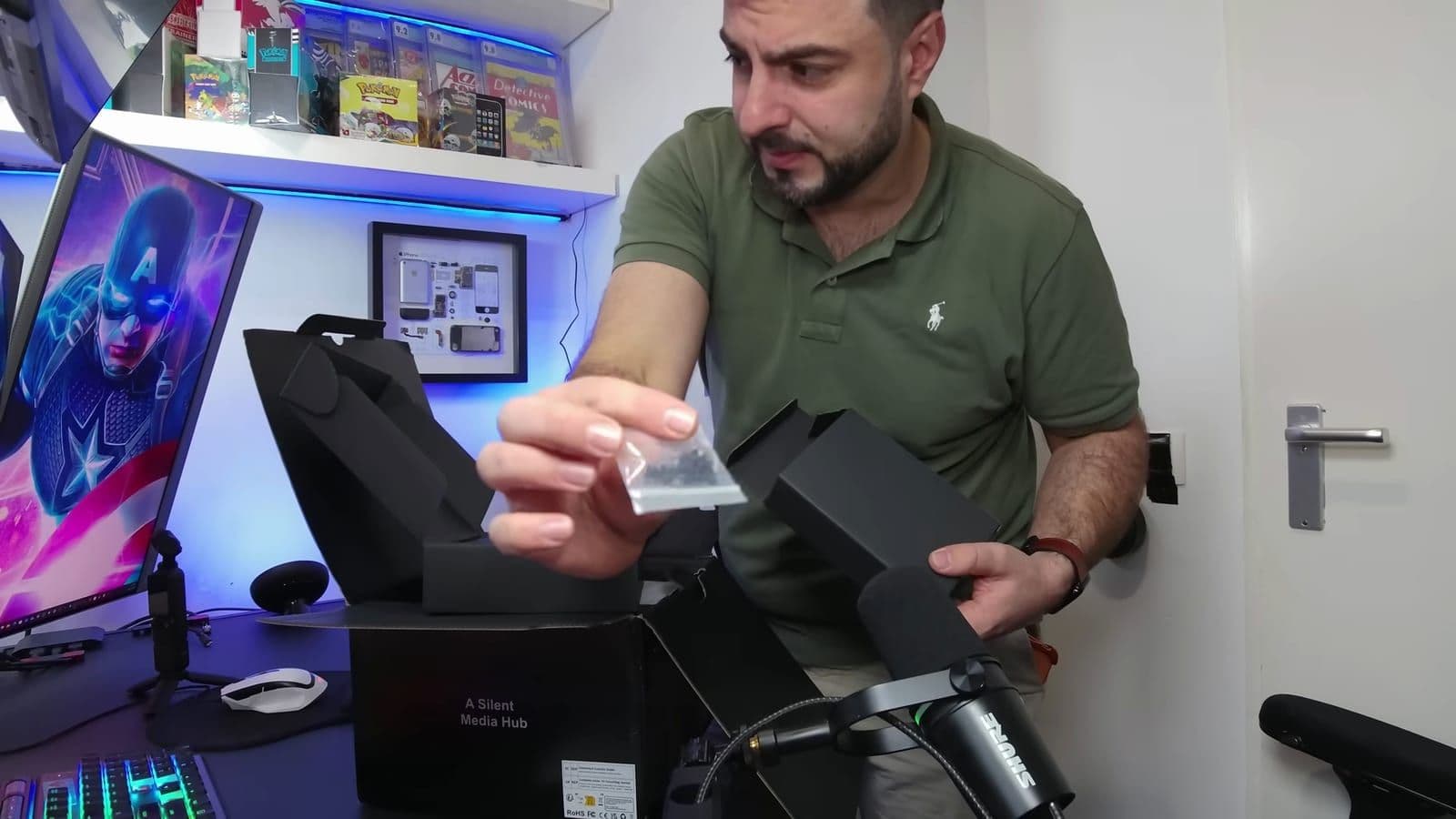
What you get in the box:
- TerraMaster F4-425 Plus unit
- 90W external power adapter and power cord
- RJ45 Ethernet cable
- Bag of drive mounting screws
- Quick start guide
Connectivity and internal hardware specifications
The back panel is where the value becomes obvious. Most network storage boxes in this bracket still ship with ancient 1GbE ports, or charge you an upgrade fee for a single 2.5GbE slot. TerraMaster put dual 5GbE Ethernet jacks on the rear. You can bond these two ports together with link aggregation to push network bandwidth beyond 1 GB per second over a fast local network.
"I've reviewed a ton of NAS devices, but I've never encountered one with dual Ethernet ports that each has 5 Gb ports." Alongside those network jacks, you get two 10Gbps USB-A ports, one 10Gbps USB-C port, and an HDMI output for direct display troubleshooting.
Inside, the hardware looks more like an entry-level mini PC than a simple storage caddy:
- Intel N150 quad-core processor (1.0 GHz base, up to 3.6 GHz boost)
- 16 GB DDR5 RAM (expandable to 32 GB via single SO-DIMM slot)
- 4x 3.5-inch or 2.5-inch SATA bays (up to 30 TB per drive, 120 TB total)
- 3x M.2 NVMe slots (up to 8 TB per slot, 24 TB total)
- 144 TB maximum raw storage capacity
- Built-in Intel 4K hardware video transcoding engine
There is one hardware compromise you need to know about. The three M.2 NVMe slots share PCIe lanes connected to that Intel N150 chip. Because the processor only has a handful of PCIe lanes to distribute between the dual 5GbE controllers, USB controllers, and storage buses, each M.2 slot is bandwidth-capped at roughly 900 MB/s. "It's like having a really fast sports car, but it's limited to 150 mph instead of 200." You will still get fast caching and solid read speeds, but do not expect top-tier Gen 4 NVMe benchmark numbers.
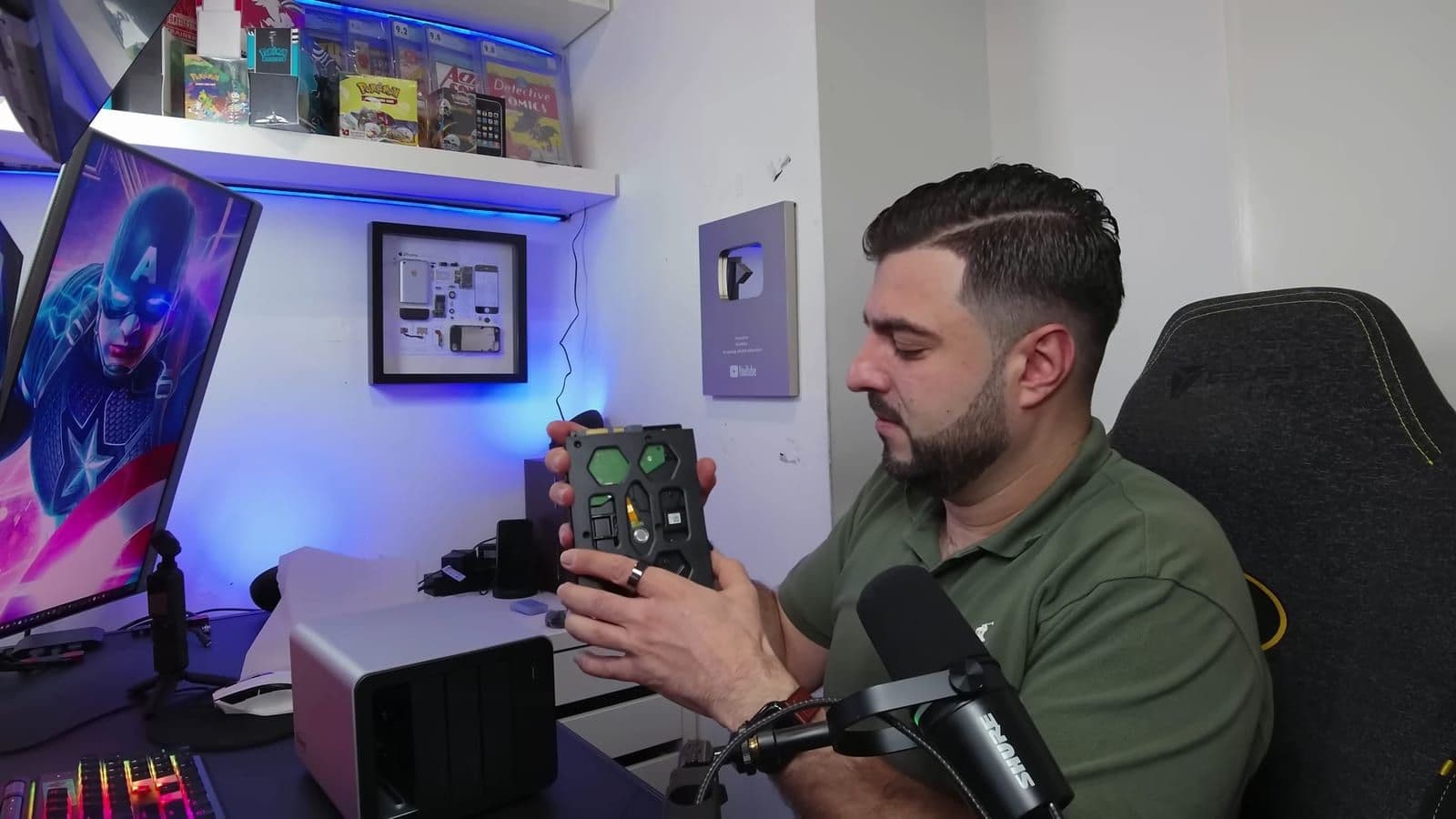
Installing hard drives and setting up storage
Setting up storage drives in the caddies is painless for standard 3.5-inch drives. The plastic trays have tool-free side brackets that pop out, snap into the screw holes of the hard drive, and lock into place without needing a screwdriver. If you want to install 2.5-inch SATA SSDs, you will need to screw them down using the included screw pack.
Once the caddy is slotted back in, it clicks firmly into the internal backplane. Setting up the storage pool in the software is straightforward. I installed four mechanical hard drives and configured them into a RAID 5 array. The entire array initialization took around 30 minutes, which is fast compared to many budget systems I have used in the past.
Real world performance, Plex 4K streaming, and power draw
I pushed the F4-425 Plus through heavy file transfers over the 5GbE link using 1 GB, 5 GB, and 10 GB test folders. The system moved files as fast as the mechanical drives and network cache would allow. File transfers were responsive and sustained high read and write speeds without thermal throttling.
Next, I installed Plex Media Server to test local media playback and real-time transcoding. Intel chips with built-in Quick Sync video are famous in the home server world for punching above their weight, and the N150 did not disappoint. I loaded high-bitrate 4K movie files ranging between 40 GB and 90 GB and streamed them simultaneously to three separate client devices in my studio.
"And honestly, it didn't even blink. Smooth playback on all three devices, no buffering, no stuttering." The hardware transcoding handled 4K HDR files and tone mapping cleanly, keeping CPU utilization surprisingly low while the dedicated media engine took the load.
Power efficiency also impressed me during heavy activity:
- Idle power consumption: roughly 30 watts
- Active 4-drive workload: 45 to 55 watts
The fan remained quiet during these tests. Even with all four drives spinning and data moving across the network, the aluminum body dispersed heat well without turning into a noisy jet engine on my desk.
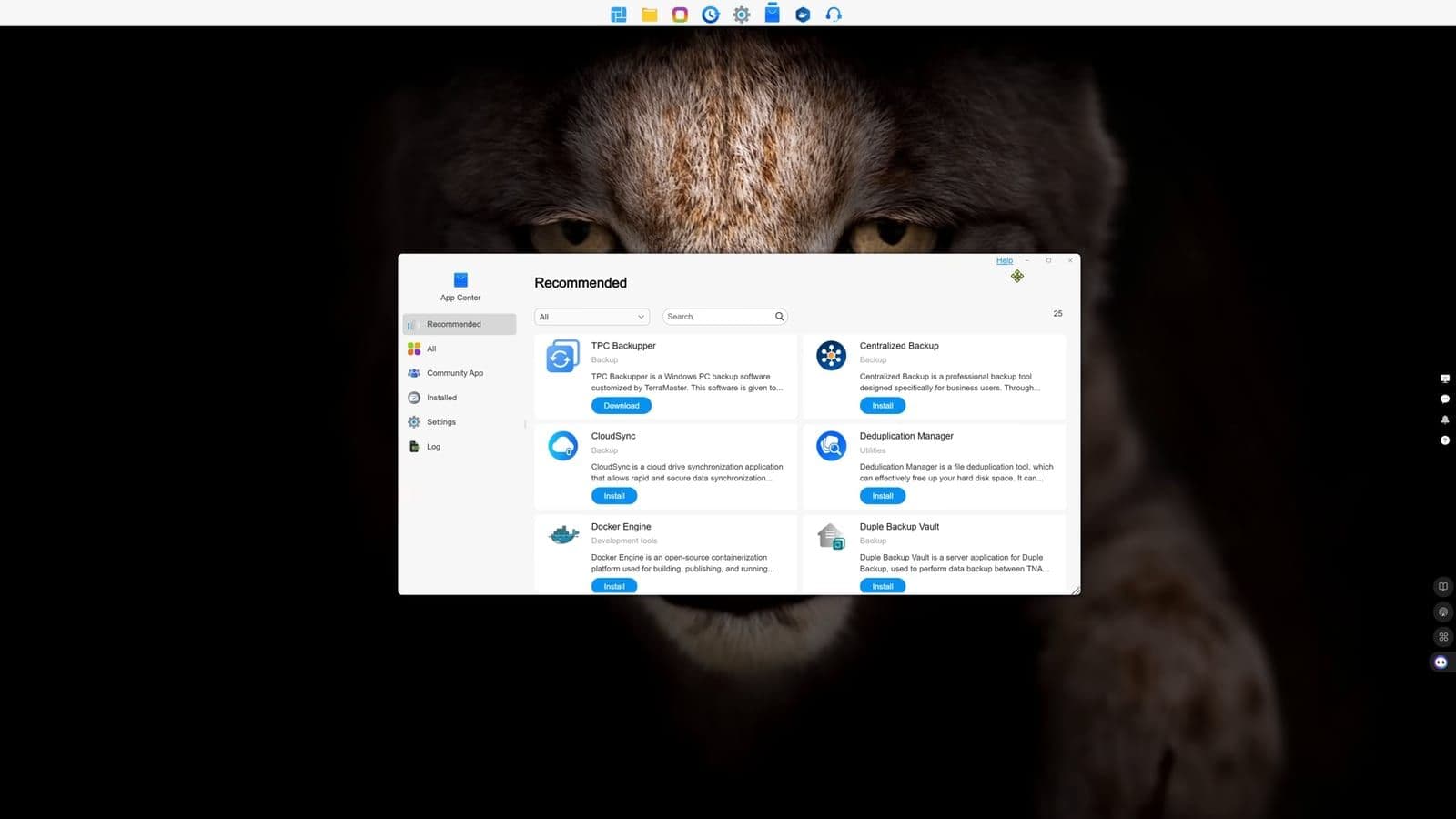
TOS 6 software features and daily usability
Software has historically been TerraMaster's weak point, but the unit ships with TOS 6, which is a noticeable step up from their older operating systems. The desktop interface looks and acts very similar to Windows 11. You get a central taskbar, clean system widgets showing real-time CPU and memory usage, and a clearly organized control panel.
The TOS App Center gives you one-click installs for applications like Docker Engine, Plex, and CloudSync. With CloudSync, you can set up automated two-way synchronization between your local folders and services like Google Drive, Dropbox, and OneDrive. You also get an AI-powered photo management app that categorizes family photo libraries and runs facial recognition locally without sending your personal images to an outside cloud.
Still, Synology DSM remains the gold standard for software polish. While TOS 6 runs well and covers ninety percent of what average users need, some advanced menus feel slightly bare, and the third-party application ecosystem is smaller. "They put all the money into hardware and made the software good enough."
Pricing and comparison against competitors
On 12 December 2025, the TerraMaster F4-425 Plus cost $455 on sale, with a standard regular price of $570. You can buy the TerraMaster F4-425 Plus on Amazon or order it direct from TerraMaster.
To understand why that price matters, look at what the competition sells around the same price point. A comparable four-bay Synology unit in the $600 range typically ships with an older processor, a measly 2 GB or 4 GB of RAM, and standard 1GbE network ports. If you want 10Gbps or multi-gigabit speeds from Synology, you usually have to pay extra for an add-on PCIe card or buy their enterprise-tier boxes.
"TerraMaster clearly just threw as much hardware as possibly into this thing and let it speak for itself." If you care strictly about hardware per dollar, nothing in the four-bay category touches this.
Who should buy this and who should skip it
Buy the TerraMaster F4-425 Plus if:
- You want a dedicated Plex server that easily handles multiple 4K transcodes.
- Your home or studio network has multi-gigabit switches and you want fast 5GbE transfer speeds out of the box.
- You want generous headroom with 16 GB of DDR5 RAM and three M.2 slots for fast caching.
- You want maximum hardware value and do not want to pay high brand markups for rival software.
Skip the TerraMaster F4-425 Plus if:
- You need physical key locks on your drive trays to secure storage in a public or shared office environment.
- You plan to run multiple resource-heavy virtual machines simultaneously, where the quad-core Intel N150 will struggle.
- You depend strictly on Synology's refined software ecosystem and specialized office collaboration apps.
Frequently asked questions
Can the TerraMaster F4-425 Plus transcode 4K movies in Plex?
Yes. The Intel N150 processor features integrated hardware transcoding that effortlessly handles multiple 4K streams at the same time. During my tests, it ran three high-bitrate 4K streams across different screens with zero stuttering or buffering.
How fast are the M.2 NVMe slots on this NAS?
Each of the three internal M.2 NVMe slots is capped at roughly 900 MB/s. This limitation comes from the limited PCIe lanes available on the Intel N150 chip. While this limits peak Gen 4 drive speeds, it is still more than fast enough for read-write caching and solid-state storage pools.
Is TOS 6 as good as Synology DSM?
TOS 6 is a massive improvement over older versions of TerraMaster's software, featuring a clean Windows-style layout, Docker support, and easy cloud backups. However, Synology DSM still offers a more mature application ecosystem and deeper software refinement for complex business workflows.
What is the maximum storage capacity supported?
The unit supports four SATA drives up to 30 TB each for 120 TB, plus three M.2 NVMe SSDs up to 8 TB each for 24 TB. That gives you a combined maximum raw capacity of 144 TB before configuring RAID redundancy.
Get new reviews in your inbox
One email when a new review goes up. No spam, unsubscribe with one click.
Comments0
No comments yet. Be the first.