Aqara G350, FP300 and G400 Setup Tested: Worth It?
I tested the Aqara G350 camera hub, FP300 presence sensor, and G400 wired doorbell to see if mmWave radar and PoE power make a smarter home.

Written by
Zino
Some links on this page are affiliate links. If you buy through them I earn a small commission, at no extra cost to you.
The single most useful thing about this three-device setup is that it stops your smart home from nagging you. Between millimeter-wave presence detection that keeps lights on when you sit still, and a doorbell powered over Ethernet, you stop acting like a full-time system administrator. These devices do their job in the background, which is exactly what home tech should have been doing years ago.
A smart home should save time, right? So why do I babysit it all day? That was the exact question on my mind when Aqara sent over their trio from CES 2026: the G400 wired video doorbell, the G350 indoor camera hub, and the FP300 presence sensor. Most automation gear is plagued by junk notifications, flat battery packs, and sensors that plunge you into darkness the moment you stop waving your arms. I wired them in, mounted them around my house, and lived with them to see if they deliver on their promises.
The Aqara G400 wired doorbell ends battery anxiety
Battery doorbells are fine until it is freezing outside, your battery drops twenty percent overnight, and you miss a parcel delivery because the unit died. The Aqara G400 skips batteries completely. It is a wired-only 2K unit, and that decision alone changes how reliable it feels on your front wall. As I said in the video, the G400 box feels like serious security, not like a toy.
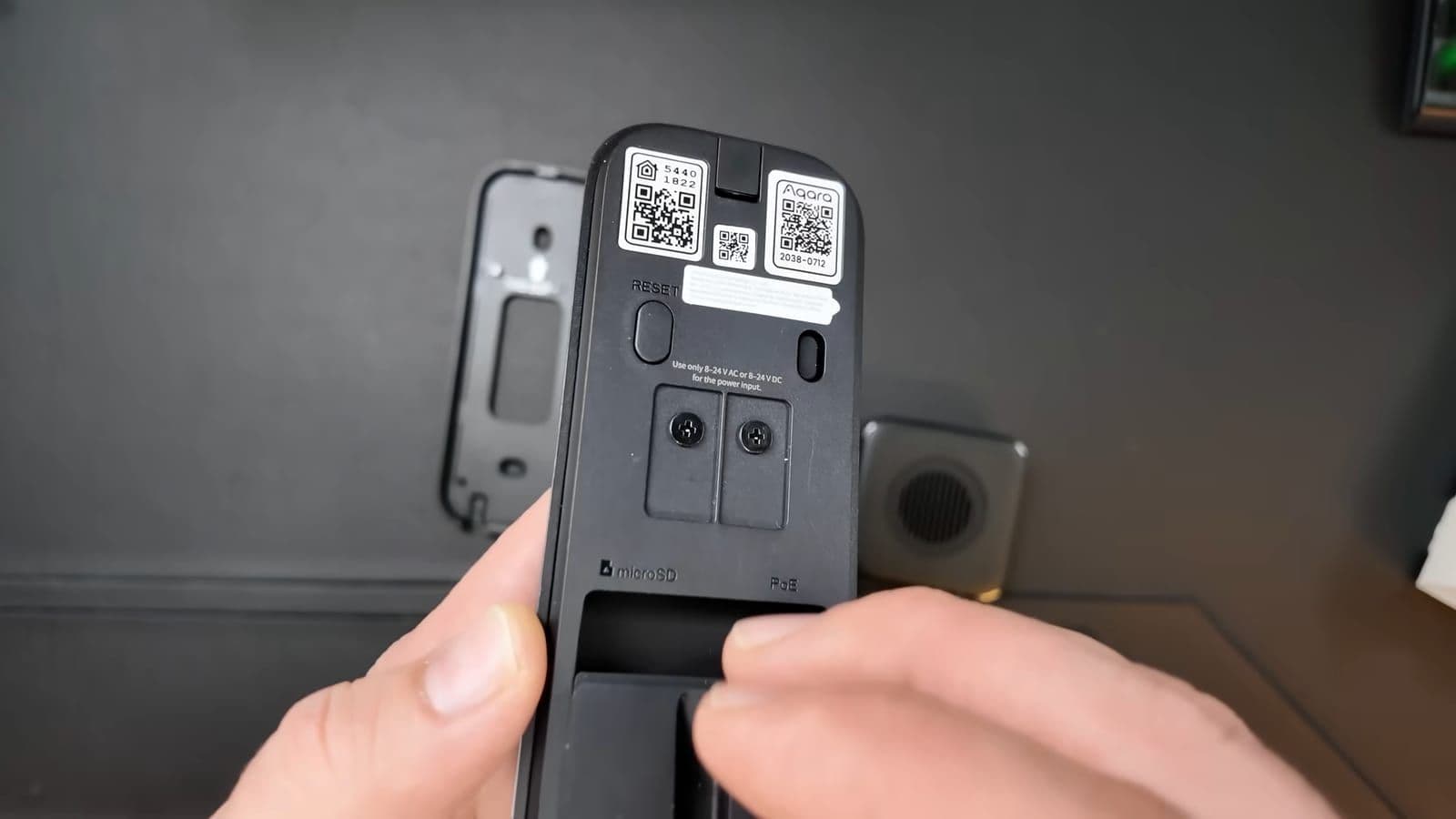
Around the back, you get two distinct power choices. You can hook it up to standard 8-to-24V AC or DC low-voltage doorbell wiring, or you can run a single Ethernet cable using Power over Ethernet. I opted for PoE because having power and data traveling through a shielded physical wire means zero Wi-Fi drops, fast connection speeds, and no recharge cycles.
The camera lens sports a 165-degree field of view with a vertical 3:4 aspect ratio. Standard wide 16:9 doorbell cameras give you lots of useless street view and neighbor roofs, but they cut off the ground right at your doorstep. The tall 3:4 crop shows visitors from head to toe while clearly displaying packages left against the door threshold. Even during night testing, the edge contrast remained sharp, without washing out people's faces with excessive infrared glare.
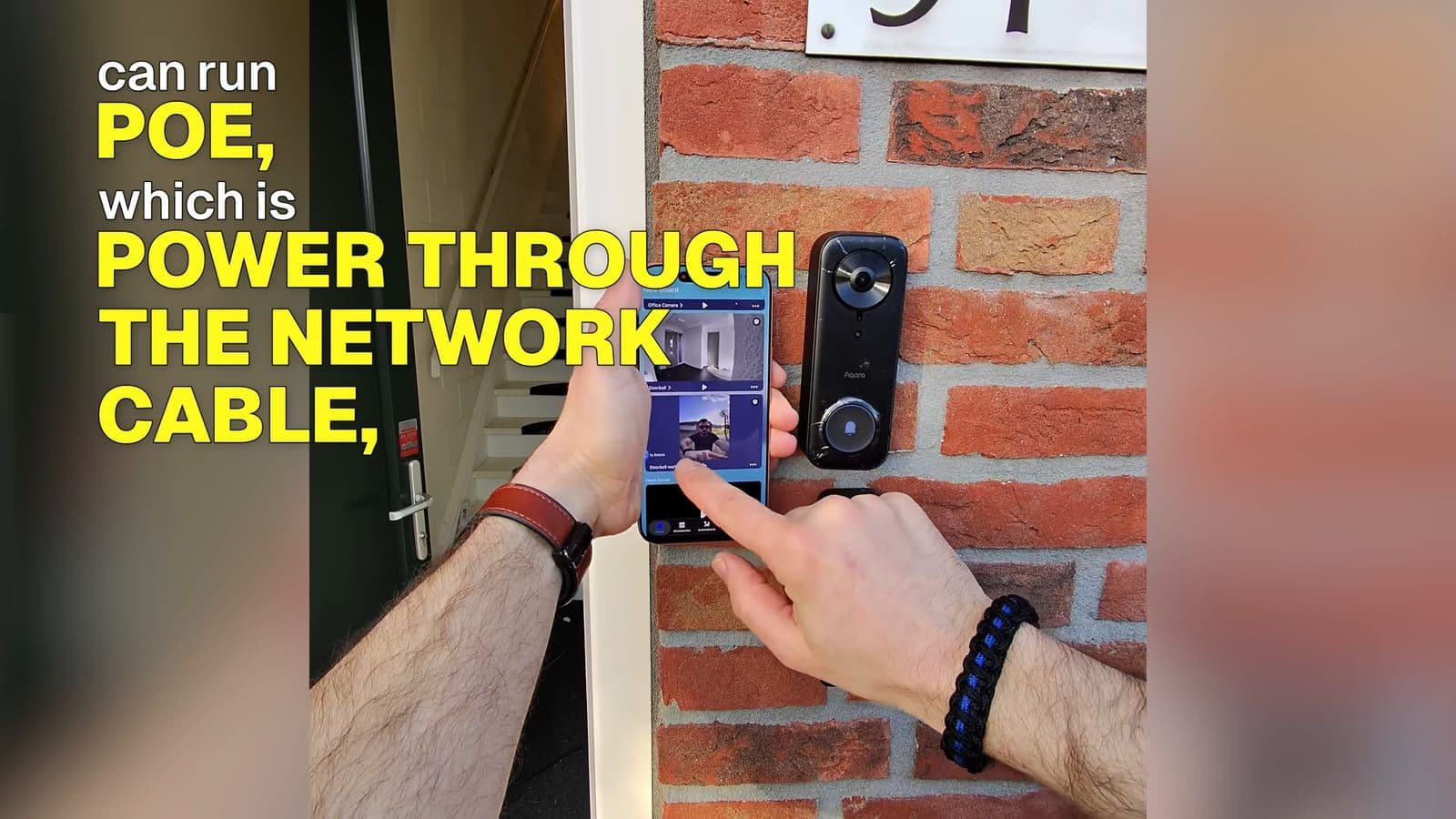
Installation does require actual work. If you are swapping an old wired chime button, it takes ten minutes. If you have no wire at the front door, you will need to drill through brick or wood to feed network cable or power lines.
You can find the doorbell via Amazon NL or Amazon USA, or check our full Aqara G400 breakdown.
Aqara G350 dual-lens camera offers genuine optical zoom
Indoor pan-and-tilt cameras are common, but most of them ruin the picture the moment you zoom in. They use digital cropping that turns a room corner into a pixelated soup. The Aqara G350 tackles this with a dual-lens array. It pairs a wide 4K primary sensor with a dedicated telephoto camera that gives you up to 9x hybrid zoom.
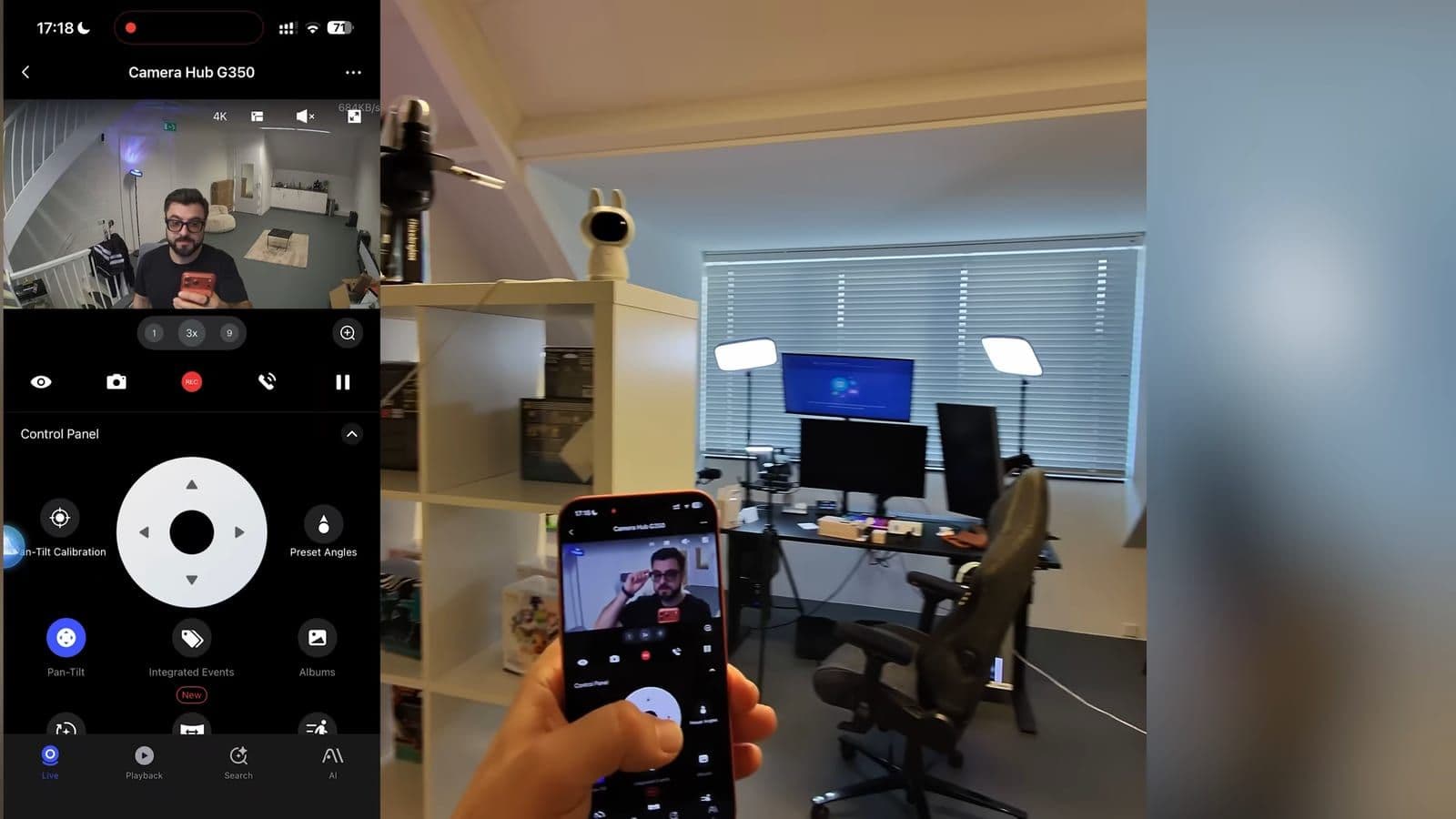
In my studio testing, the difference was immediately obvious. When the camera tracked my movement across the desk, the motorized base adjusted smoothly and quietly. When I pinched the screen to zoom into small objects on the shelf across the room, the optical telephoto lens kicked in, retaining text legibility and clean edges instead of blurring.
Besides video streaming, the G350 acts as the central brain for the rest of your hardware. It contains an integrated Zigbee hub and a Matter controller built on updated Matter 1.5 specifications. It also supports Apple HomeKit Secure Video. Setting it up on a bookshelf is clean, with the top ear tabs giving it a slightly playful look. It is what I called the cute but scary camera in my review, because underneath that friendly shell sits an aggressive tracking engine.
You can check out the camera hub on Amazon NL and Amazon USA, or see the dedicated Aqara G350 specs.
The Aqara FP300 sensor solves the sitting still problem
Standard PIR motion sensors only care about motion. If you sit on your sofa to read or watch a video, the sensor decides the room is empty and kills the lights. As I put it during testing, my lights go off like they got bored of me. I wanted lights that do not bully me in my own living room.
The FP300 presence sensor fixes this by combining two separate detection technologies. It uses a standard PIR sensor for immediate motion response and a 60GHz millimeter-wave radar for micro-movement detection. That millimeter-wave radar picks up chest expansion from breathing. In my living room test, I sat motionless on the couch for extended periods, and the lights stayed steady without a single dropout. It stops that stupid moment where you just sit still and the lights think you left the planet.
What makes the FP300 distinct from earlier radar units is power. Most mmWave sensors demand a constant USB wall plug, leaving messy cords hanging down walls. The FP300 runs on internal batteries while maintaining its tiny footprint. You can place it on a bookshelf or stick it to a door frame without running cables across your baseboards. Beyond presence, the sensor also measures ambient lux levels, room temperature, and humidity.
Connectivity is flexible. You can pair it directly to an Aqara hub using Zigbee, or run it through Matter over Thread with a third-party Thread border router like the Google TV Streamer.
The sensor is available on Amazon NL and Amazon USA, with complete documentation on our Aqara FP300 hub page.
Connecting everything with spatial intelligence
Smart home setups often degrade into an endless troubleshooting cycle. Smart stuff can turn into a 45-minute fight, but with these three it was more like, 'Oh, that's it?' Pairing each device through the Aqara Home app took just a couple of minutes per unit.
Where the combination shines is in joint automation rules. Instead of simply turning lights on when motion is detected, you can link the FP300 light sensor and radar with your lighting. If natural light in the room drops below your target lux threshold and the FP300 confirms human presence, your ambient fixtures come on automatically. If you walk out, a configurable no-presence delay countdown starts before shutting them down.
There is one caveat with mmWave radar placement. Radar waves pass through light objects and can bounce off metal or spinning ceiling fans. If you point the FP300 directly at an oscillating fan or an open window with blowing curtains, you will get false presence triggers. You have to take five minutes to position the sensor correctly, aim it toward your main seating area, and dial in the delay timers.
Who should buy this setup and who should skip it
This Aqara combination is built for homeowners who want their automations to run locally without constant battery changes and false alerts. If you have low-voltage doorbell wiring or Ethernet run to your front entrance, the G400 is among the most dependable options available. If you want smart room lights that stay on while you read, the FP300 is an immediate upgrade over standard PIR sensors.
You should skip this setup if you live in a rental property where drilling or rewiring is strictly prohibited. The G400 has no internal battery pack, meaning you cannot tape it to a door frame and call it a day. If you only want a cheap five-euro motion detector for a hallway cupboard, the mmWave radar hardware inside the FP300 is unnecessary overkill.
Make your home smart, not annoying. Because the best smart home is the one you forget about.
Frequently asked questions
Can the Aqara G400 doorbell run on batteries?
No, the Aqara G400 is strictly a wired video doorbell. It requires either an 8-to-24V AC/DC low-voltage connection from an existing doorbell transformer or Power over Ethernet through a network cable. It does not contain an internal rechargeable battery.
Does the Aqara FP300 work over Thread or Zigbee?
The FP300 supports both protocols out of the box. You can pair it via Zigbee to an Aqara hub like the G350, or connect it directly via Matter over Thread to any compatible Thread border router.
How does the Aqara G350 hybrid zoom work?
The G350 uses a dual-lens optical system featuring an ultra-wide 4K sensor alongside a dedicated telephoto camera. When you zoom past standard wide views, the hardware automatically switches lens input, delivering up to 9x hybrid zoom without pixelation.
Do I need an Aqara hub to use these devices?
The G350 camera acts as a built-in Zigbee hub and Matter controller, eliminating the need for a separate hub box. If you only purchase the FP300, you can use it without an Aqara hub by pairing it through Matter over Thread with a compatible border router.
Get new reviews in your inbox
One email when a new review goes up. No spam, unsubscribe with one click.
Comments0
No comments yet. Be the first.